REGISTRY User Interface
This chapter describes the concepts and graphical user interface of REGISTRY.
Items
An item's entry in registry.o2a-data.de consists of several tabs, each of it containing different information.
- Overview -- the essential information about the items (names, model, serials, etc.)
- Contacts -- all persons having a relevant relation to the item should be entered here
- Events -- the item's usage history is documented here
- Parameters -- this is where the parameters live
- Properties -- quality control and beyond
- Frame -- the position of the item (in absolute or relative coordinates) is stored in this fields
- Resources -- additional information for the item, such as links, DOIs, calibration sheets, manuals, etc. can be dropped here
- Images -- pictures of the item itself or its installation surroundings
- Fields -- here a custom set of key-value pairs can be dropped
Overview
Item Types
Generally speaking: everything is an item in registry.o2a-data.de, covering the whole range from platform-like items, such as vessels, AUVs, or stations via tools, such as fish nets, pumps, or grabbing systems to sensors itself, such as methane sensors, piezometers, and nutrient analysers.
We strive to use the standardized vocabularies managed by BODC (vocab.nerc.ac.uk/) in registry.o2a-data.de. Thus, the item exo1_geomar_0001 is one of the "CTD" (vocab.nerc.ac.uk/collection/L05/current/130) managed in registry.o2a-data.de and operated by GEOMAR.
NOTE
If an item of yours cannot be attributed to a standardized vocable, please contact o2a-support@awi.de.
The content of the fields "Model" and "Manufacturer" can be filled by autocompletion facilitating entries from the L22 NERC vocabulary SeaVoX device catalogue.
Short Names and Code Syntax
Short names are the semantical foundation of every item. They are required to be as unique as possible, so it has proven to be good practise to attach the serial or asset number to the item, e.g. exo1_geomar_0001 or losgatos_awi_1142.
Even if there are numerous examples, short names shall be lower case only. Technically it is possible to set them upper case, but there are other places in the process chain that are case-sensitive. So, please, even if it has a long tradition to write your device always upper case in your field of expertise, make use of the multiple other locations within registry.o2a-data.de to annotate your item properly but write the short name lower case. You will make some data managers and developers very happy.
Be also aware that you cannot create items with the same short name under one parental item.
The respective setup of an item can be derived from the full code (also known as URN, Uniform Resource Name). It is the concatenation of all participating items, e.g.:
vessel:uthoern:losgatos_awi_1303-- the itemlosgatos_awi_1303is mounted to the vesseluthoernstation:bayelva:bamet2009:hmp45_200cm-- the temperature and humidity sensorhmp45_200cmis mounted at the meteorological stationbamet2009which is in return part of thebayelvalongterm observatory
The topmost item in the code hierarchy is also stated with its item type, such as station.
Occasionally items are not assigned to a specific parental item, e.g when drifters are deployed somewhere. Then the code reads without parental item, e.g. drifter:drifter_gmr_bgcd01 (registry.o2a-data.de/items/6070) and it is a free-floating item with a code syntax derived from the item type.
Item Status
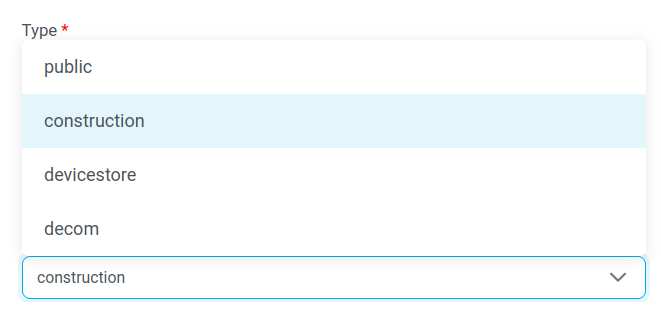
Newly created items are assigned the state construction and can be seen and accessed by the owner (you) exclusively. Items set to public, devicestore or decom are readable in public. If the item is not used at the moment send it to devicestore. If there are larger changes to the item and it (might) take a while until it is used again, please set it to construction again. When your item has been decommissioned or is no longer part of your group, institution, or fleet, make use of the status decom.
Be aware that items that are deleted by users are technically only decommissioned. Real deletion of items is not supported because each item refers to a persistent identifier (PID).
Parent Item
The parent is the device or platform that an item is assigned to or mounted on (e.g. a vessel). Note that items can only be assigned to items with corresponding editor rights (this includes "my devices"). As mentioned above, the parent affects the code of an item. If an item is unmounted from its current parent and mounted on another device this should be clearly logged in the "events" tab (see below).
Mount Workflow
When changing the parent of an item you will be asked if you want to create an unmount event on the old parent and a mount event on the new parent. Additionally, the option is presented to create a version of the old parent before remounting to make the previous configuration citable.
History and Citing
In registry.o2a-data.de the history per item is tracked. Two entities must be considered: history of item configurations and history of item operations.
The user interface always displays the most recent configuration of the item.
Former item configurations are accessible via the dropdown menu on the top right of your item. Each item version comes with a PID. Thus you can specifically address and reference a certain setup of your device, e.g. in reports or articles.
This was used for example in this dataset, when the configuration of Meteor's ADCP was described. The handle hdl.handle.net/10013/sensor.302e7de2-7193-400e-8cd5-7bff90f614bc resolves to the current setup of the item.
Please be aware that the handle presented in the blue box of the current version is a static representation for the current version and it always point to the current version of the item -- even if there are numerous snapshots available.
Hence, https://hdl.handle.net/10013/sensor.3d8d275c-0f56-4b46-8c7f-8b0e3ab38b7a contains the same as https://registry.o2a-data.de/items/456.
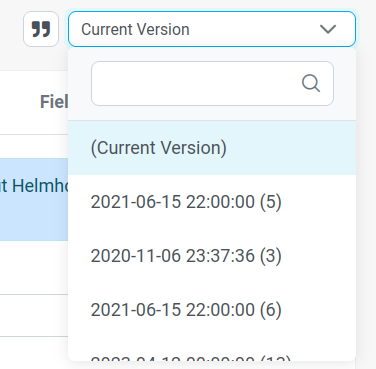
In order to trigger a snapshot of your item (aka create a version), the quotation mark can be facilitated. The possibility to backdate a version during creation is restricted to the respective API endpoint (/items/{itemId}/versions).
To log and document the item's operations the section Events is the right place to manage and store such information.
Contacts
Contact information is crucial for the work with registry.o2a-data.de.
Items can have multiple contacts which can have multiple roles associated. Each role is like an informative tag. By hovering over behind each role the definition is presented.
NOTE
All contacts are equipped with the rights to edit the item. Contacts also get permissions to access files and data streams in O2A INGEST related to an item.
Additionally, contacts can be inherited from the parental item as seen in the image showing contact information from a mobile laboratory container (registry.o2a-data.de/items/8767) which was mounted to the vessel Mya II (registry.o2a-data.de/items/456).
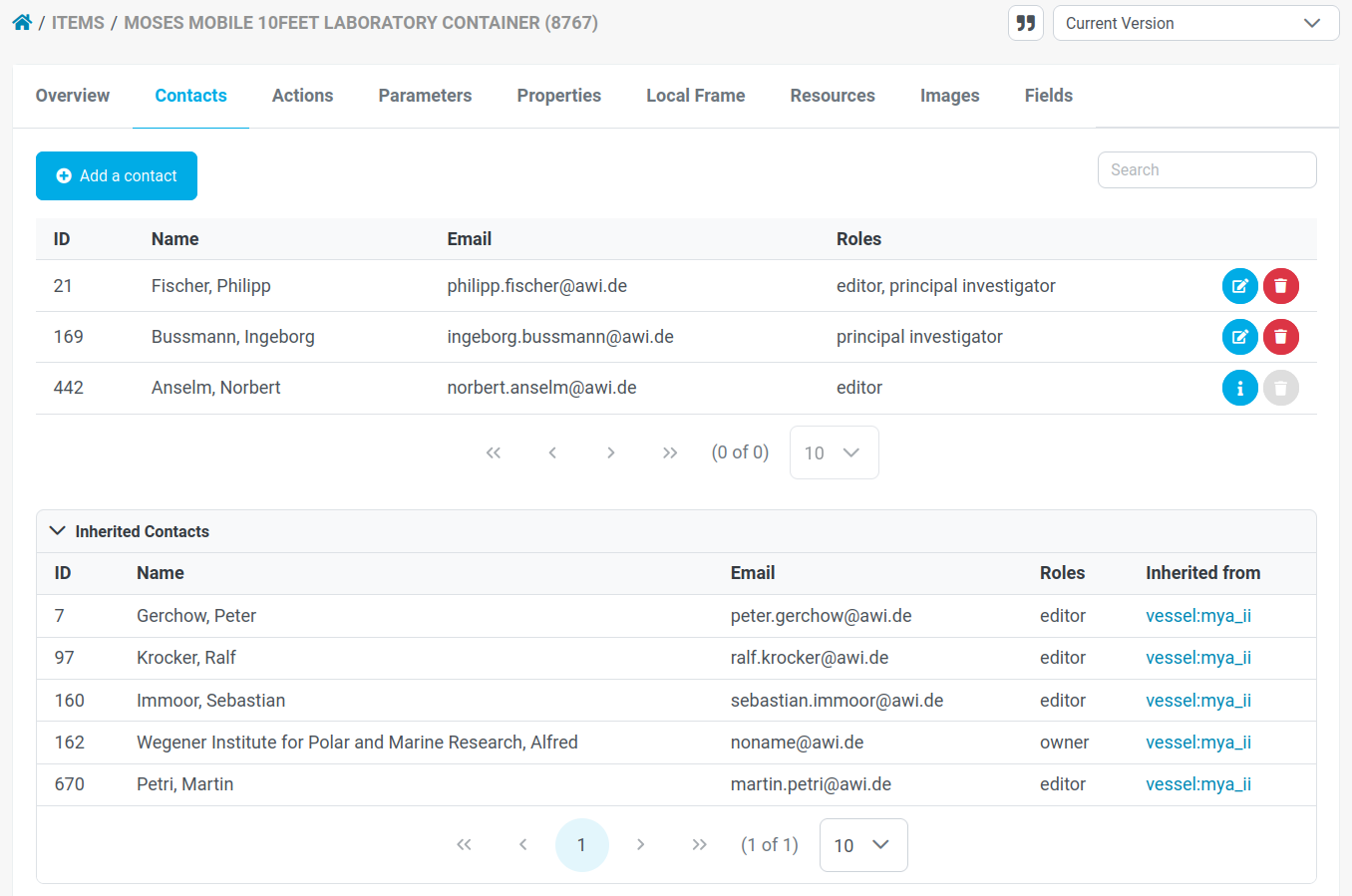
When new personal or institutional relations are added to an item, several roles are available for this purpose. At least one such role needs to be applied.
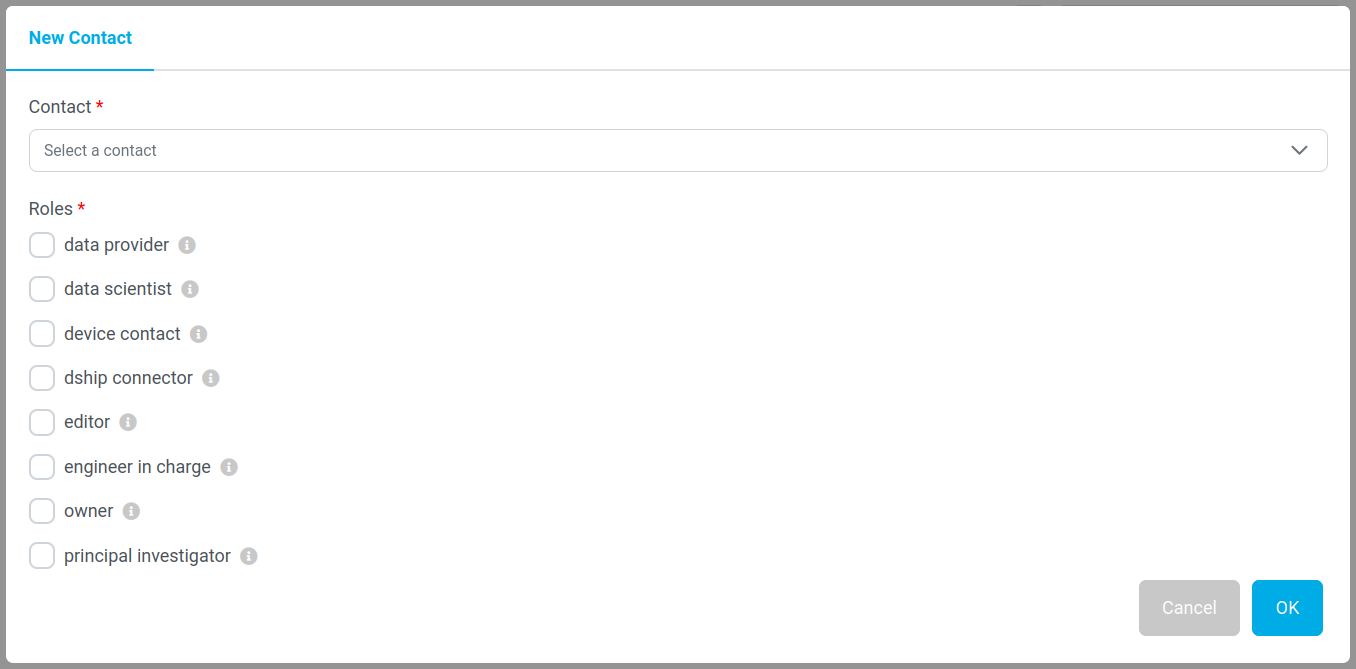
Completely new users to registry.o2a-data.de or O2A need to get an account in advance. Otherwise they can login, but cannot save items. Please write to the technical team at o2a-support@awi.de, state for which email address the account shall be created, and the team will take care of it. Please make sure that the account can be authenticated by one of the common authentication services.
When in doubt or something is missing in your opinion, please send a support request to o2a-support@awi.de or ask the chief editors or data managers of your project.
Events
Generally About Events
In order to add certain events to items, two ways are available:
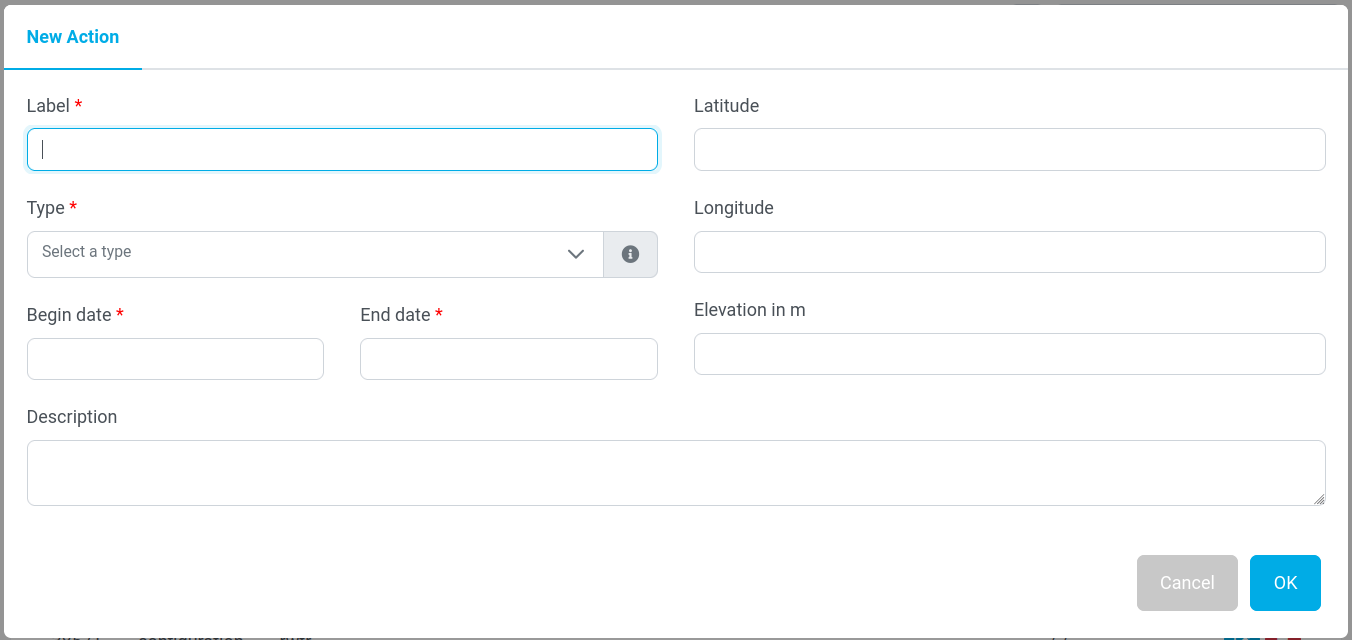
- you could use registry.o2a-data.de's user interface to insert the mandatory information (see image), or
- you could use the API (registry.o2a-data.de/api/) to insert the information by any programming language that is capable to sent and receive HTTP.
The following table explains different event types which can be used.
| name (and link to vocable if available) | description |
|---|---|
| Calibration | The item was recalibrated, the respective Calibration certificates and/or associated documents should be supplied via the Resources tab in the upper navigation banner. |
| Commissioned | This Event Type applies to large-scale platforms, such as land-based stations, research vessels, and aircrafts. It describes the beginning of the operational use of this device. |
| Configuration | Describes a change in an items configuration (something new has been mounted, the item has been recalibrated ...) |
| Decommissioned | This Event Type applies to large-scale platforms, such as land-based stations, research vessels, and aircrafts. It describes the end of the operational use of this device. |
| Deployment | A device is deployed, means it is in operational use. Deployment applies to small-scale vehicles and ship-operated devices, such as CTD rosettes, buoys, etc... |
| Information | Describes issues associated with this item relevant for its operation. Includes failure and maintenance information. |
| Maintenance | The Event Type Maintenance describes functional checks, servicing, repairing or replacing of parts. The device might still be operational, but the device's measurements might be affected by means of maintenance. |
| Mission | A Mission refers to the device's operation within a defined range of time and purpose. |
| Mount | The device installed/attached to a parental device. The Event Type Mount mostly applies to ship- and airborne sensors. |
| Partial failure | The Event Type Partial Failure should be set if the device's functionality somehow is restricted or limited. |
| Processing | Used in laboratory context, when samples run down a processing chain. |
| Recovery | When a device is retrieved from water or ice the Event Type Recovery should be set. Then it is no longer operational. This usually applies to buoys or moorings. |
| Total failure | The Event Type Total Failure denominates the total loss of functionality of the respective device. Any re-use is foreclosed. |
Events additionally give you a chance to become more visible in O2A INGEST. Properly added missions make this data stream pop up there in the facet "Mission". Furthermore entries of the types "Mission" and "Deployment" are searchable.
If the above mentioned facts were not convincing you to manage your metadata, the standardized entries from registry.o2a-data.de/api can be forwarded to other places with ease, e.g. applications that make use of the API, such as Jupyter/R notebooks, knitr, webpages, portals or something alike.
Creating Events
When adding new events, some fields are mandatory and some are not. Nonetheless it is strongly recommended to fill in every field, since several services can make use of it, and especially the spatial information can be used in map applications.
| Name | Description | Mandatory/Optional |
|---|---|---|
| Label | reasonable, coherent, and unique name of the event | Mandatory |
| Event Type | see table above | Mandatory |
| From | point in time when the event started | Mandatory |
| To | point in time when the event ended | Mandatory |
| Description | detailed description of the event, its circumstances, background, etc. | Optional |
| Latitude | aka N or S | Optional |
| Longitude | aka E or W | Optional |
| Elevation | applies to depth too, below water surfaces rather negative integers, else positive integers | Optional |
When in doubt or something is missing to your opinion, please send a support request to o2a-support@awi.de or ask the chief editors or data managers of your project.
Parameters
Some items might lack parameters, simply because they do not measure. Nonetheless parameters are an integral part of an item's description. The following example image shows the output of a sbe38 (registry.o2a-data.de/items/1313).
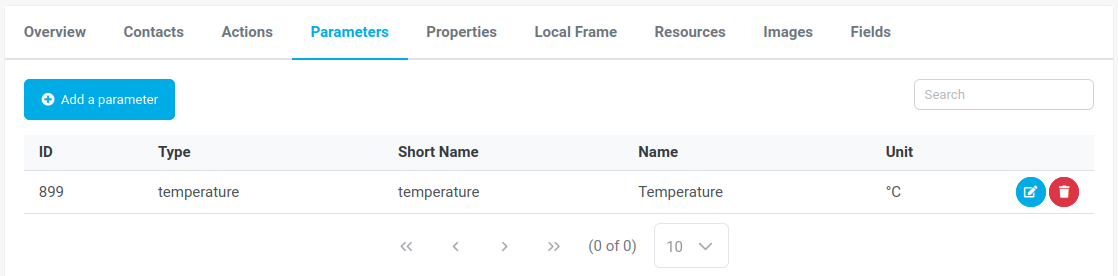
As for items itself a long and a short name are presented. The parameter type, similar to the item type, follows a standardized vocabulary (if available). Unfortunately this content is only shown to API users. However, you can find a list in the terminology section of this documentation under sensor output types. In the example the parameter type temperature is shown. It is defined as follows:
json
{
  "@uuid": "327069e5-411a-4c32-b050-429c780
  5ad4d",
  "uuid": "a45c8d6f-f4b3-4df2-8994-393f4331863f",
  "lastModified": "2022-09-20T15:53:22.289Z",
  "vocabularyID": "NERC",
  "vocableValue": "http://vocab.nerc.ac.uk/collection/S06/current/S0600082/ ",
  "generalName": "temperature",
  "description": "The degree of hotness of an object, a measurement matrix, an environment, expressed against a standard scale. ",
  "systemName": "temperature",
  "vocableGroup": {
    "@uuid": "82004166-e146-4ebc-b63b-4f70b24bc0b6",
    "uuid": "b876cf1e-b073-4569-9ab6-8fa33ff3108c",
    "name": "SensorOutputTypes",
    "id": 4
  },
  "id": 7
}New parameters can be added by clicking "+ Add a parameter" in the upper left corner of the tab.
First a (long) name and a short name need to be assigned. The long name is rather a human readable, alterable representation of the parameter's name than a unique identifier. This includes also the practice to add nicknames or workaround names in the long name. The more important name is the short name. As for the whole item the shortname should be as unique as possible. This can be achieved by attaching an index to the parameter, a serial number or something else which appears feasible.
Please be aware that you cannot create parameters with the same short name under one item (e.g. you cannot have two temperature parameters at the same item, rather choose temperature01 and temperature02) and avoid capital letters.
The field "Type" refers to the parameter type (e.g. conductivity, speed, or abundance). It must be set, as well as the unit of measurement.
When you miss a parameter type or a unit of measurement, please send a support request to o2a-support@awi.de or ask the chief editors or data managers of your project.
Parameters itself can be provided with properties. We offer some predefined property types, partly well established within oceanographic community (doi.org/10.13155/33951) to facilitate parameter properties.
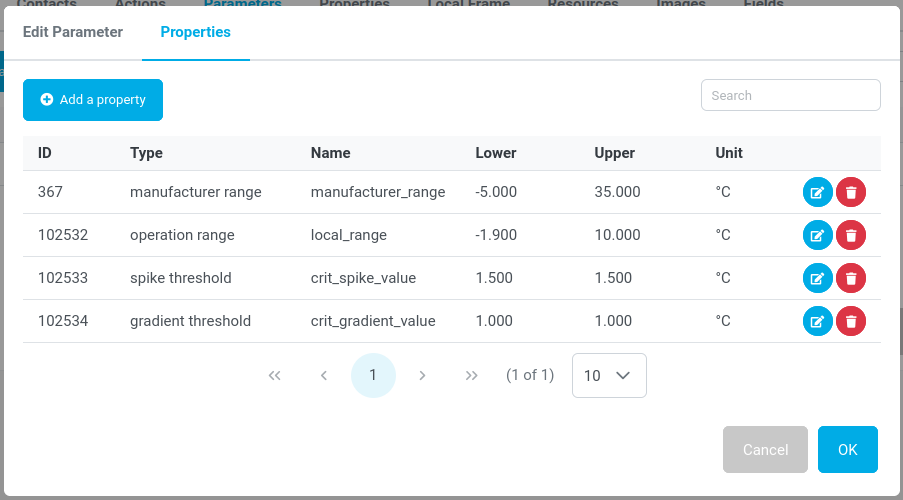
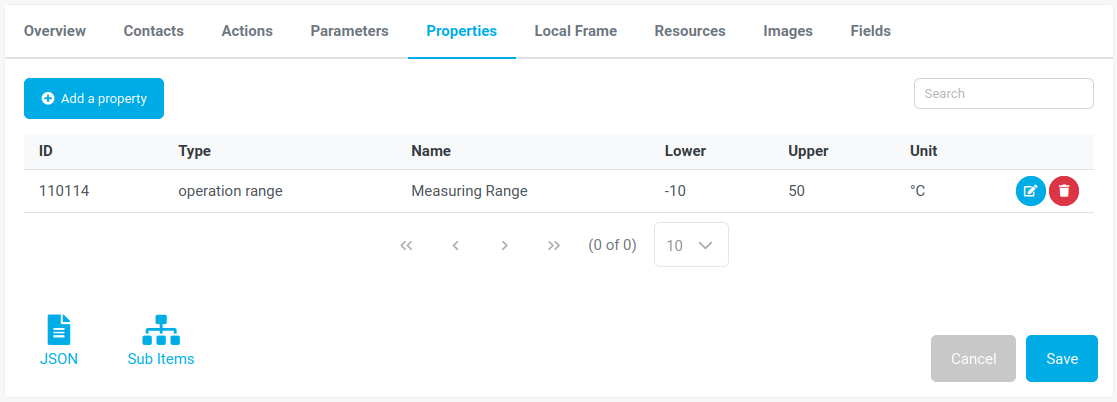
Usually the properties follow the same unit as the parameter itself. Ranges can be discriminated by setting the lower and upper limits. If it is rather a threshold or a fixed number than both fields should hold the same value.
When in doubt or something is missing to your opinion, please send a support request to o2a-support@awi.de or ask the chief editors or data managers of your project.
Properties
Occasionally properties do not apply for a single parameter alone, but for the whole item. In this case the properties can be assigned to the item itself. Apart from that the same applies as for property assignment to parameters.
Frame
The term "Frame" comes from shipbuilding and defines the timber or rib of a ship from keel to side rail. All frames shape the hull. Starting with a defined origin and stated in a reasonable unit, it can be seen as a local reference system which is helpful in bigger ships to locate items. However, the "Frame" can be used in other contexts as well e.g. for station, containers, moorings, etc. as long as a fix origin is given.
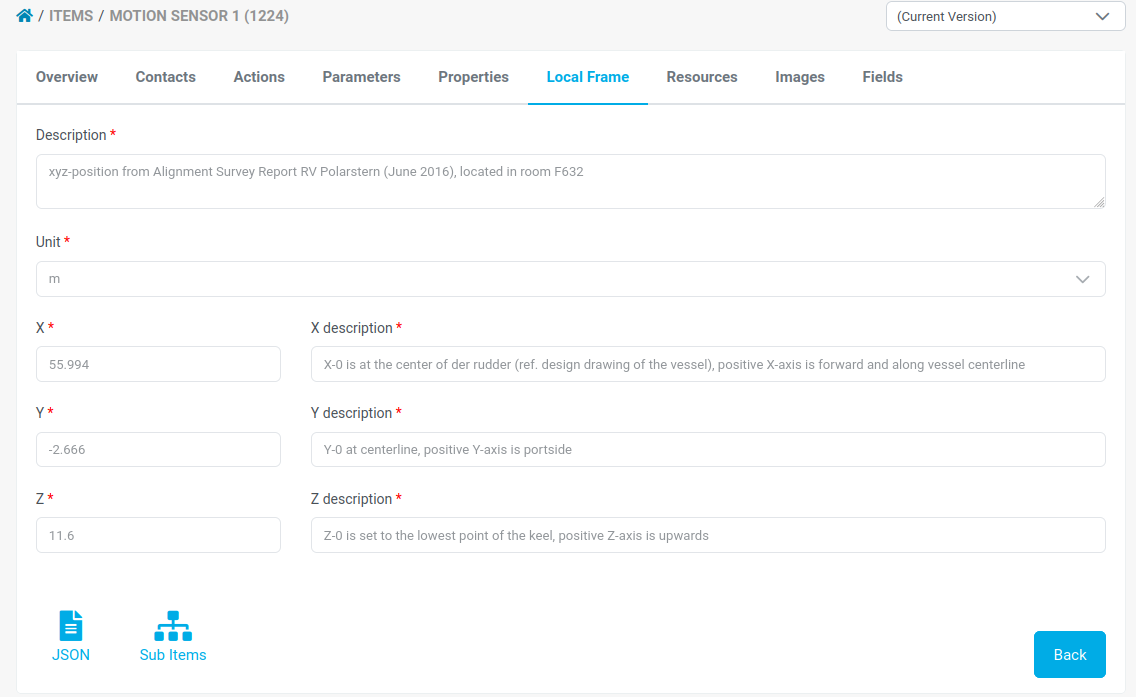
The example is showing a motion sensor aboard of RV Polarstern (registry.o2a-data.de/items/1224).
Resources
It is a valuable feature that additional information or context material can be assigned in registry.o2a-data.de directly. These resources can be of different type:
- Article
- Calibration Certificate
- Configuration Sheet
- Data Description
- Factsheet
- Platform article
- Report
- Repository
- Standard Operation Procedure
- User Manual
- Web site
The example shows Polarstern's hydrosweep and its resources (registry.o2a-data.de/items/1393#Resources).
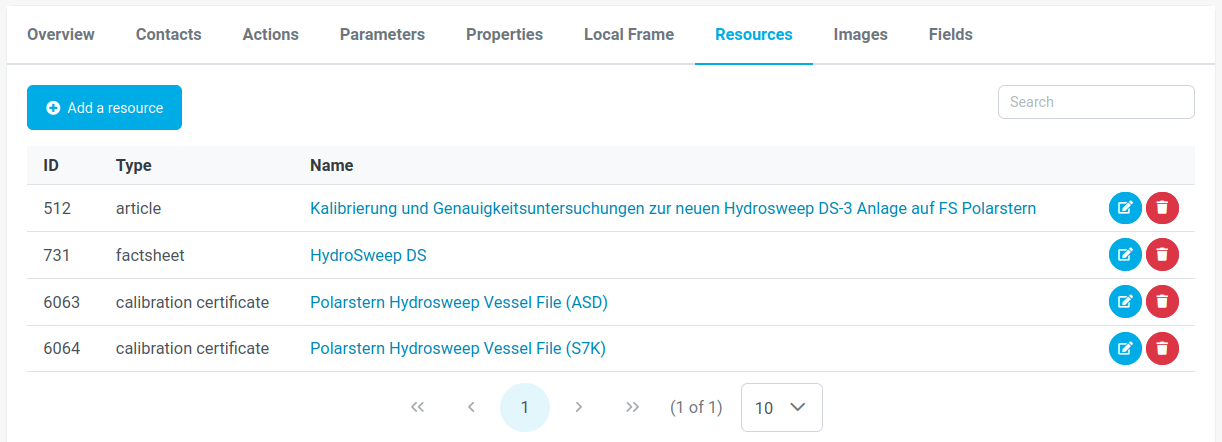
Resources can be linked or added to an item directly. It is best practice to link to persistent sources (e.g. at Zenodo). Alternatively you are able to upload resources.
Be aware that only the links to resources are historicised. If you modify the content behind the link, all versions will link to the latest resources.
Recommendation: If you wish to historicised the content behind the link, you must create a new resource with a different name. Add timestamps to the name of a resource to describe its validity, e.g. "Calibration Certificate 2025-01-01 - 2026-01-01".
Images
Under the tab "Images" all images are shown that are attached to the respective item. They can show for example the item itself, the local setup of a device, the specific location in a compartment, etc. Furthermore, the images can be annotated with a description as well to clarify specifications to colleagues unfamiliar with it.
)](/assets/images-7472.C1k5__IN.png)
There is no way to store further information. If there might be more to say about an image we suggest to either store some describing fields or put some additional resources to the item.
Collections
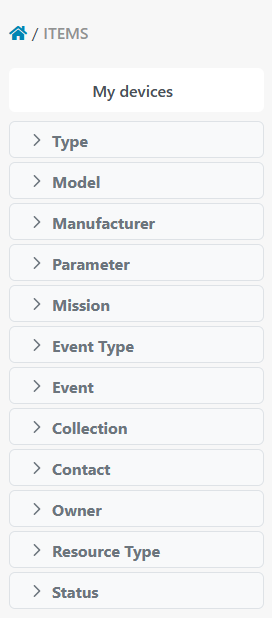
Items can be assigned to collections to make them findable via the search facets. If you need a new collection to aggregate your items beyond the existing options, such as being subitems, belong to contacts, etc. please get in contact with o2a-support@awi.de. Please be aware that collections can be assigned to items by anyone, there is no such thing as private collections.
Fields
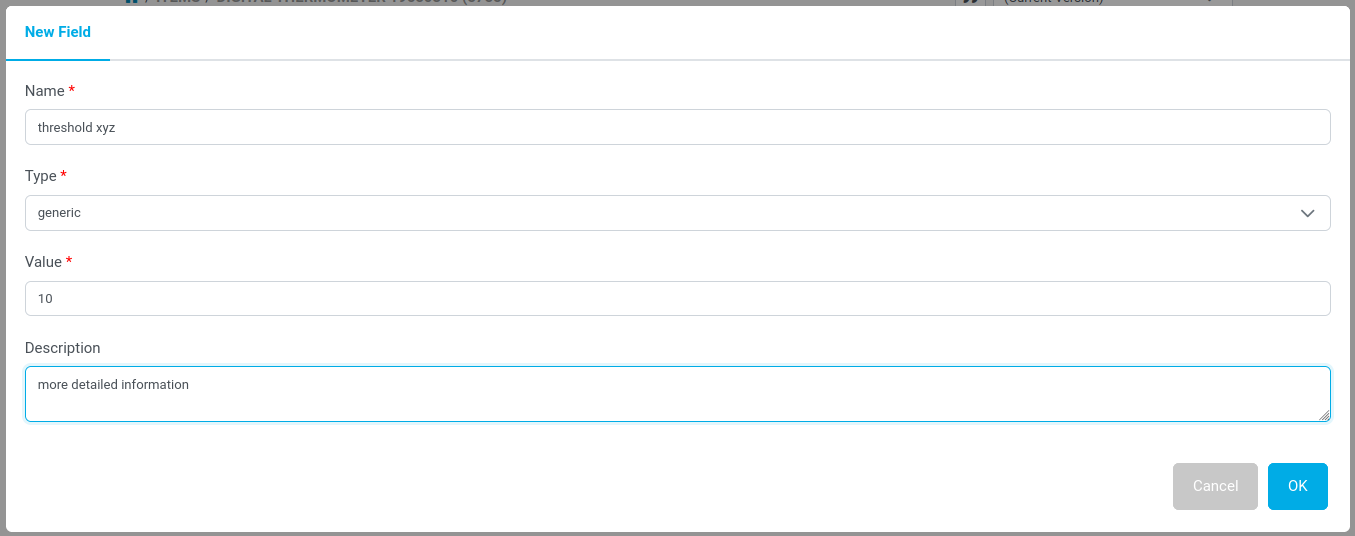
Custom fields allow the users to store valuable information in the manner of key-value pairs. It is meant to store things that are too specific for a general implementation in REGISTRY, but still are relevant to store with the item.
For now the only type to choose is "generic".
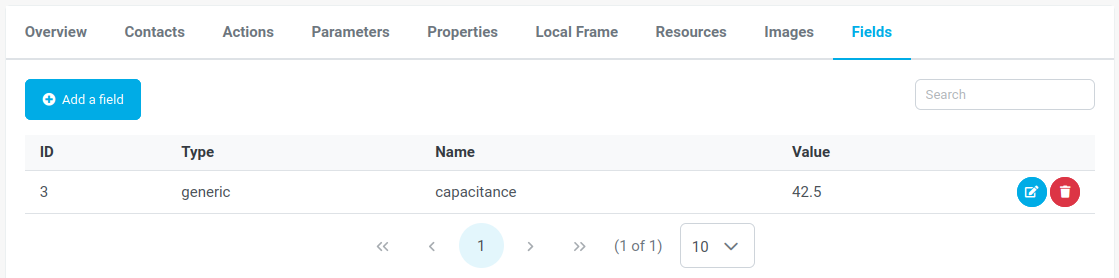
In the field "Name" basically the key is stored, while "Value" field holds the values. The information is stored as text. The field "Description" can be harnessed to describe the entered information more detailed.
Missions
Missions can be used to describe temporal configurations of items.
Missions are created and the chief scientist is added as editor. From there it is their responsibility to add further people (contacts) as editors to the mission. These contacts can add and remove items (scientific devices). The list of items is synchronised to the DSHIP system on research vessels. Items can be selected in the DSHIP ActionLog and a data storage directory is available via the Mass Data Management (MDM) system.