REGISTRY FAQ
Accounts and Authentication
Please read Account, Authentication, and Login.
To get editorial rights for an item, your verified account has to be added to an item (see Contacts section).
If your contact is missing in REGISTY, please send a support request to o2a-support@awi.de.
Create New Items
By clicking "+ Create an item" when logged in, you can create new items that are associated with your account. You are led to an overview tab with blank fields. There it is up to you to fill it with proper information.
Caution: Don't forget to save your new item when finished. If information is missing the user is pointed to the fields that require attention.
Modify and Delete Items
If items need to be altered, this can be achieved by clicking the blue-white pen and paper symbols at the end of the row when the user is logged in.
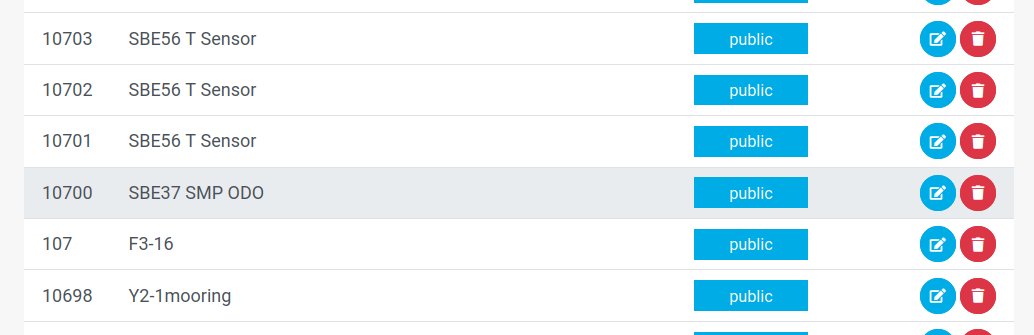
Modifying items window
Just beside the modify button, is the red trash can button. It does not delete an item, but sets the status to decom. The item is still visible to all users and none of the metadata is lost.
Cloning Items / Bulk Creation
Occasionally, a certain item can serve as a blueprint for an item that you want to create. This might be the case if an identical item is bought or a small fleet of items needs to be managed.
One way is to utilize the clone function in the user interface. It is indicated by the  symbol in the toolbox section.
The following dialog box allows you to create one to ten clones of your item. By selecting or unselecting the checkboxes at the top, you can specify which part of the item should be cloned and which should not.
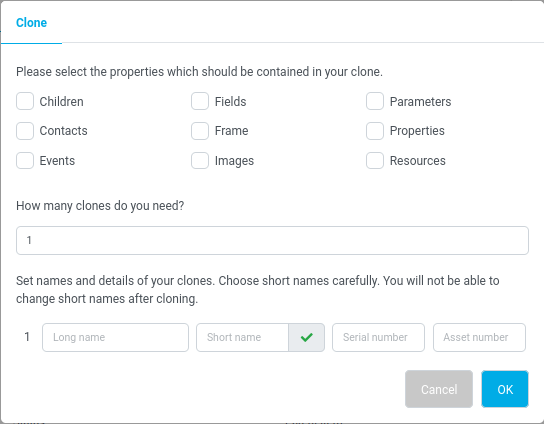
Dialogue clone items
Per new item the long name, serial, and asset number can be be set optionally. You are nonetheless encouraged to do so. The shortname is mandatory and still needs to be unique.
Another approach of creating items from a kind of blueprint is to facilitate the API -- either by using the respective endpoint or by locally stored and managed JSON representation of your blueprint that is posted to create new items.
Have a look at the API documentation.
Reassigning Items
The term "reassign" referes to the unmounting and mounting of items on other items, e.g. a device on a research vessel.
At the overview tab in the user interface the field "Parent item" can be altered. The fulltext query can be used to search for new parental items.
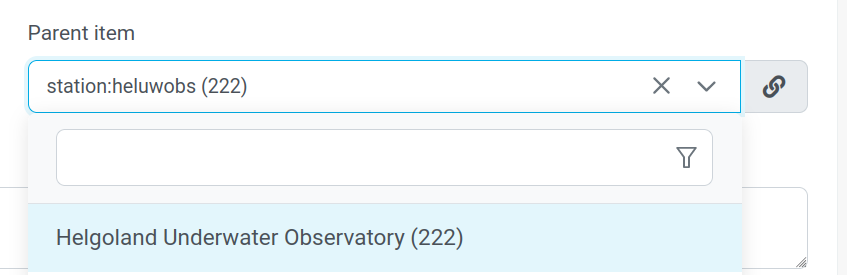
Please be aware that you will need to have proper rights to modify the new parental item as well. If not, please contact the items contacts to supply you with the necessary rights.
Publish Items
When logged in to your account, you are able to set the status of the desired item via "status" drop-down menu.
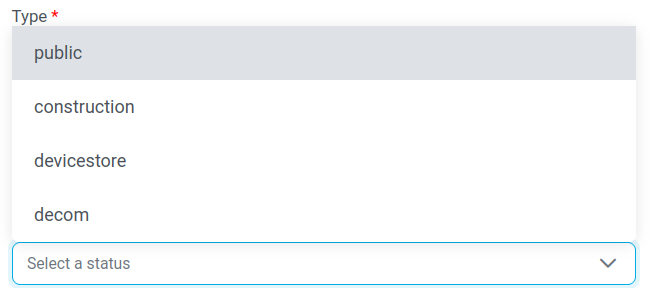
For details have a look into the user interface documentation.
Saving in General
When creating new things -- such as events, parameters, fields, resources, etc. -- it needs to be saved. Otherwise the thing just lives in your browser cache for a very short time and will never enter the database of your item. The volatile state of the thing is indicated by an ID 0 or None. So please save it.
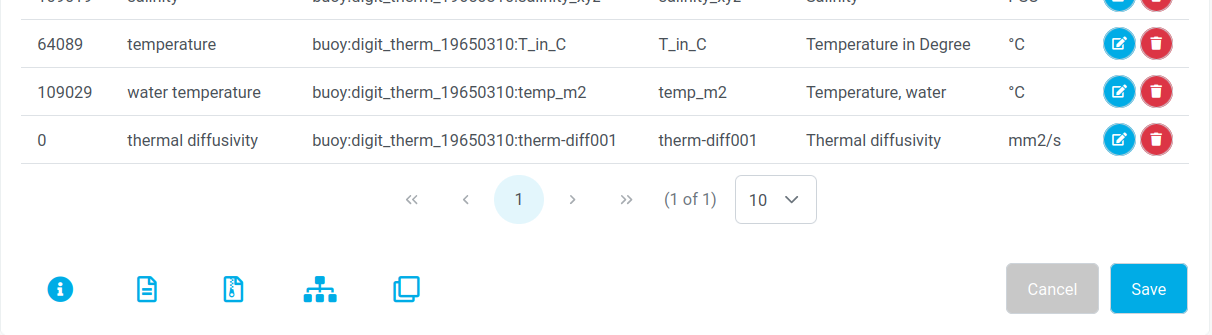
Saving parameters

Saving events
Backdated versions
When a version is created it is valid instantly (see documentation). If an item version is needed to be valid from a specific point in time onwards the API must be used. To trigger such version ?validityDate=YYYY-MM-DDThh:mm:ss" must be append to the endporint items/{itemID}/versions.
bash
curl -X POST \
	-b cookiefile \
	-H 'Accept: */*' \
"https://registry.sandbox.o2a-data.de/rest/v2/items/11712/versions?validityDate=2025-12-13T00:13:12"How to create the authentication cookie (named here 'cookiefile')? Please see the documentation.
After the successful POST command the version looks like this:
json
{
	"version" : 4,
	"eventTimestamp" : null,
	"versionCreationTimestamp" : "2026-02-01 17:43:31",
	"citation" : "O2A REGISTRY (2025). Metadata for sediment grab \"Test Sensor2\". Version from 2025-12-13 00:13:12. Alfred Wegener Institute Helmholtz Centre for Polar and Marine Research. https://hdl.handle.net/10881/registry.9b4cebcb-c02b-41f5-a26b-e3128c0facc9",
	"temporalCoverage" : {
		"lower" : "2025-12-13T00:13:12",
		"upper" : "2025-12-13T00:13:12"
	}
}version: index of the version,eventTimestamp: legacy, not used in productive environments anymore,versionCreationTimestamp: time of version creation,citation: string about how to cite this entry, contains the handle,temporalCoverage: time element, containinglowerandupper, both fields are assigned the same date to indicate a point in time starting the validity of this version